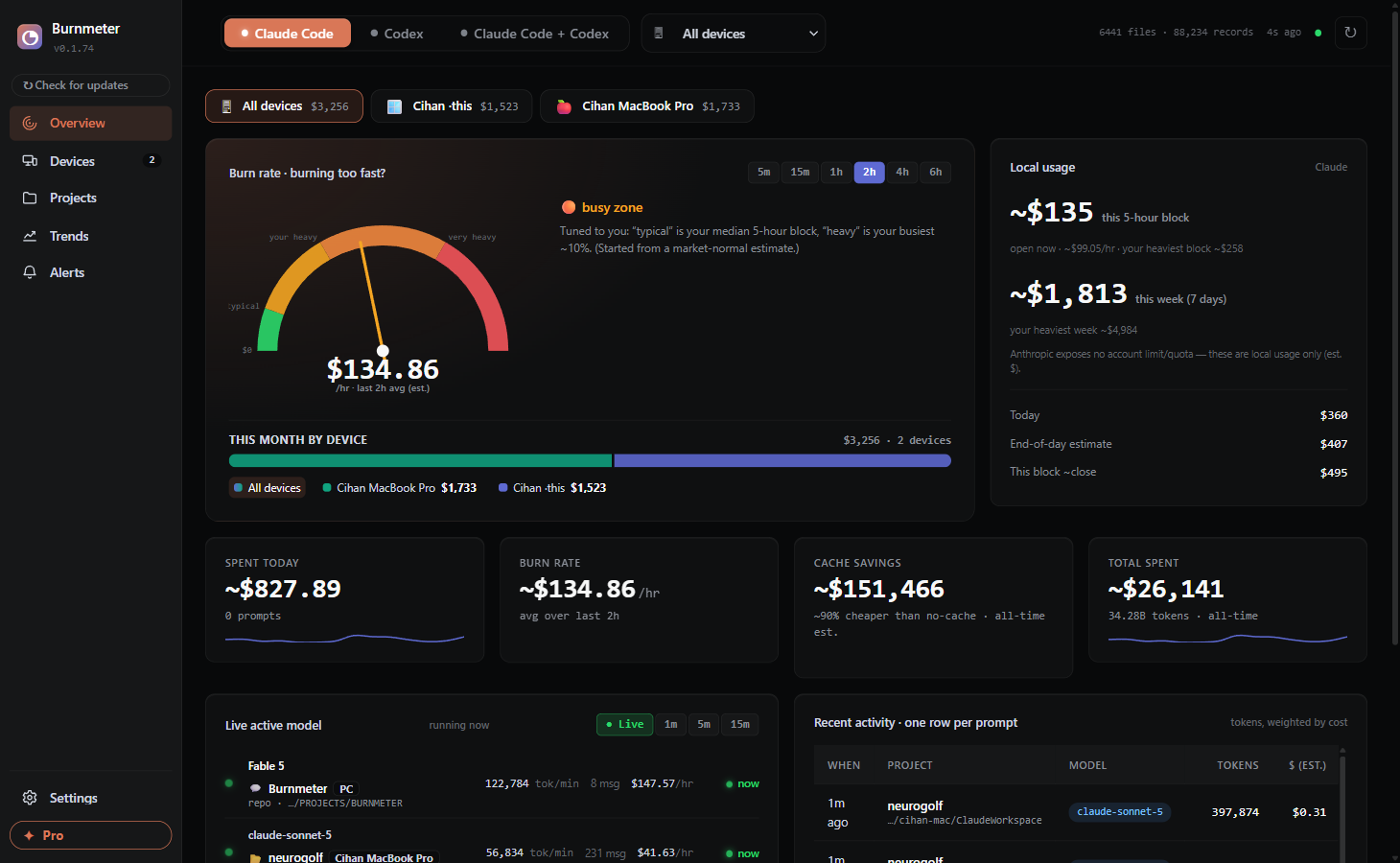
See exactly where your tokens go — cost, burn-rate, and how close you are to your plan's rate limit. No API keys. No cloud. Your data never leaves your machine.
pip install --upgrade "burnmeter[app] @ git+https://github.com/cihanatak/BurnMeter"
burnmeter
Neither Anthropic nor OpenAI exposes a real-time per-token usage API for individual Pro / Max / subscription plans. So if you're on a flat-fee plan, your local session logs are the only accurate source of truth for what you're actually burning. Burnmeter reads them and answers the one question that matters: "Am I about to hit the wall?"
No account, no API key, no config. It reads the logs your agents already write.
pip install git+https://github.com/cihanatak/BurnMeter — pure-Python, stdlib-only core. No Docker, no database.
burnmeter serve — auto-detects ~/.claude & ~/.codex, drops a Burnmeter shortcut on your desktop, and opens the dashboard in your browser.
It opens at localhost:7654 on its own. If your browser doesn't pop up, click the link Burnmeter prints in the terminal — and if 7654 is already taken, it picks the next free port automatically. After that, just double-click the desktop icon.
Not a token accountant — a fuel gauge. Four things the other meters miss.
For subscription plans the wall is the rate limit, not the dollar. A red ring at 90%+ tells you, in under a second, whether you can start that big task or you're about to get throttled — 5-hour and weekly windows, per device.
"Is this run burning a lot or a little?" Your current $/hr against personal typical / busy / heavy reference zones, with a verdict like "3× faster than your usual." Efficiency, at a glance.
Cache reads cost ~10% of fresh input. Burnmeter shows your hit rate and the real dollars cache saved you — often the "I'm getting $50k of value for $200" number nobody else surfaces.
Which repo is eating your quota, and which model is eating your dollars — at real per-model pricing (Opus/Sonnet/Haiku, GPT-5.5/5.4/Codex/mini). The model mix is the cost story.
The whole local dashboard is open source. Pay only for services a single machine can't do alone — and you can always self-host the sync relay for free.
No. Burnmeter reads the session logs your agents already write locally (~/.claude, ~/.codex) and serves a dashboard on localhost. Nothing is uploaded. The optional Pro cross-device sync is opt-in and end-to-end encrypted — the relay only ever sees ciphertext.
No. There is no API call to Anthropic or OpenAI. That's the whole point — for flat-fee Pro / Max plans there is no real-time usage API, so your local logs are the only accurate source of truth.
Claude Code and Codex today — separately or combined in one view. The parser is pluggable, so more agents are on the roadmap.
They're best-effort estimates at published per-model pricing (Opus/Sonnet/Haiku, GPT-5.5/5.4/Codex/mini). On a flat-fee plan the real constraint is the rate limit — which Burnmeter tracks directly — so the $ is for relative insight: what's expensive, and how much cache saved you.
The entire local dashboard is open source (AGPL-3.0) and free forever — every agent, every panel, never gated. Pro (~$6/mo) only adds services a single machine can't do alone: hosted multi-device sync, durable cross-device history, and smart alerts — and the sync relay is itself open-source and self-hostable for $0.